PST to RTF Transfer Tool – An Affordable Switch Guaranteed
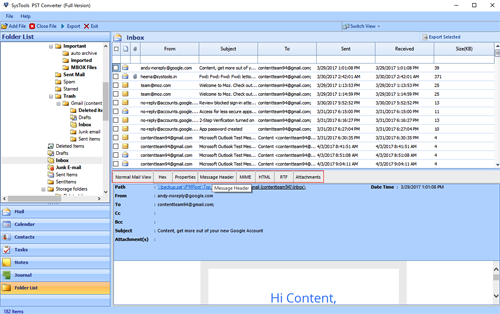
In case you are looking forward to converting data from PST to RTF for some particular reason or benefit, then you are absolutely at the right place. We deal with an expert solution to render users a solution that is convenient, secure, accurate and all in all a solution worth investing on. Outlook Conversion is one such program that can be operated not only by an expert on the technical end but also by a novice user. There are plenty of features integrated within this precisely packed application to offer users with what they are looking for.
RTF file has its own set of benefits and setting apart features that has made a number of users switch their email format file into a text file. This segment will be deeply discussing about some of the respective gains of performing PST files to RTF conversion. & additionally this software supports PST to MHT, EML, MSG, VCF etc format conversions.
Why Extract RTF from PST File?
Converting data from an email format file to simple text format file is huge. Hence, the grounds of converting data must be strong enough to justify the need of conversion. The following points are mentioned in favor of RTF file format that justifies the benefit of such a conversion.
RTF; Rich Text Format is basically a document language that is used for switching text content between varied word processors. This file format is much simpler to be generated as compared to the creation of PDF files along with that in comparison to HTML; RTF is more word processing application friendly.
- A word processor can be found on each and every system and hence conversion of PST to RTF will only make it easier for users to access their database over platforms unavailable with email client.
- Moving around your data becomes possible.
- And, the data you access is now in an uncomplicated format which makes it instantly viewable and usable file.
This way it becomes quite beneficial for users to convert PST file to RTF formatting. And Outlook Conversion tool emerges as a highly suitable tool to do the honors. This application is such an expert at converting PST data into Rich Text Format file that it is even known as a PST to RTF converter.