Magical Way to Export PST to MSG Within Few Seconds
 Outlook PST files are well known to those who have practice to use MS Outlook email client as email collaboration platform. Within PST files one can easily store various emails, tasks, journals, contacts etc as well as for various versions of Outlook you are permitted to store data up-to permitted distinct file sizes. Oftentimes due to certain circumstances, users think to extract PST files into other file formats. Outlook PST file to MSG transition is very common amongst Outlook users when they want to backup PST emails into a file format that can easily opened under various email platforms. For smooth PST to MSG conversion we have a brilliant tool named as Outlook Conversion.
How to Convert PST to MSG Files?? Not A Big Quest With Our Email Conversion Application
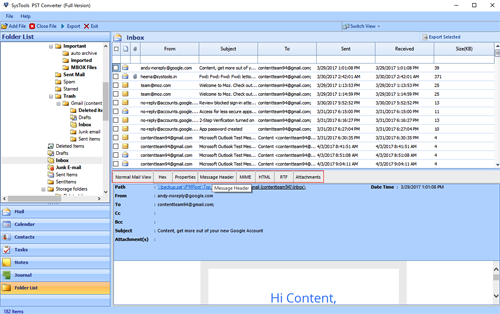
If you are thinking how to extract or shift PST emails into MSG file format then, you will have to optimize our tool to extract MSG from Outlook PST in licensed manner as free edition is availed to make you aware about all steps involved within it. After free trial you will surely get an idea about worthiness of application for PST to MSG conversion. You just need to follow instructions given on the screen of this application and you will get required results after PST MSG conversion without losing single property.
The Package Of Fruitfulness – Outlook PST Conversion Tool
Apart from facility to self-estimate this application you can clear your doubts regarding PST MSG conversion via quick contact with our 24X7 live support section. Apart from PST to MSG transition this tool helps you to extract PST emails into TXT, HTML, MHT, RTF etc. As well as Outlook users can also extract their crucial contacts from PST files into vCard file format that can easily used under distinct email clients as well as VCF files are permitted to use with digital devices.
- Email conversion to move on for easy emailing
- Extracting contacts into VCF format helps to get connected with multiple platforms
- Conversion with rendered email properties
- Global support for Windows OS and Outlook editions