PST to VCF Converter – An Absolutely Efficient Solution
 Users who are looking forward to the conversion of PST to VCF can avail our noteworthy application to execute the respective processing successfully. The guarantee of a safe conversion is efficaciously provisioned by our Outlook Conversion tool. The amount of ease offered is irrespective of the technical inputs done within the backend of this application. No type of compromise has been done with the application. Neither do you have to compromise on the technical end nor on the operational ease because both the facilities have been provisioned with sheer ease.
Convert PST to vCard – Reliably And Reasonably
PST files are basically the mailbox file for Microsoft Outlook client that are responsible for storing email, contacts, calendar etc contents of the respective account. But when you are specifically willing to use their PST contacts on a different platform which doesn't even support the usage of PST get into trouble.
When in the aforementioned situation or a situation like that, the only way to get through is via converting the contacts in a contact file which is supported by the platform. Most of the devices or platforms that accept contact files separately; support vCard files. Hence it would be suitable for one to convert their contacts from PST to VCF i.e. vCard file so that the accessibility becomes possible.
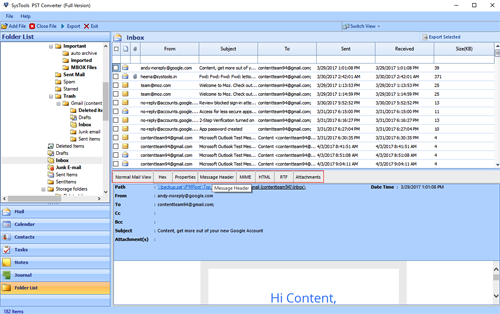
Our technically well equipped application to export PST to VCF file helps to transform all your contacts from PST format to VCF without any damage caused. Executing PST files to VCF conversion has never been this easy as it has been made with our respective Outlook Conversion tool. This safe, accurate and successful application has helped a wide number of users to convert their Outlook PST data into varied number of file formats like PST to HTML, EML, TXT etc.
NOTE: A trial version of the converter tool has been provided for free. The trial version will demonstrate the working of tool by letting you convert 15 items from selected Outlook PST file to the chosen file format.